 BetterCmdTab
The Cmd+Tab macOS deserves.
A fast, native window switcher and app launcher for macOS.
Free forever, zero telemetry, no subscription.
Download
Download.dmgmacOS 13.0+ · Apple Silicon & Intel
Features
Switch & launch
- Letter-prefix jumptype a name to jump to it
- Search & launchpress / to fuzzy-find, or launch any installed app
- Window switchingCmd+` cycles windows of the front app
- Scoped shortcutsa global hotkey opens the switcher filtered to all windows, this Space, the current app, or minimized only
- Tap or holdtap to switch instantly, hold to open the switcher
- Scroll to switchspin the mouse wheel to move through apps
- App hotkeysassign a global shortcut to focus or launch a chosen app (9 slots)
Layouts & looks
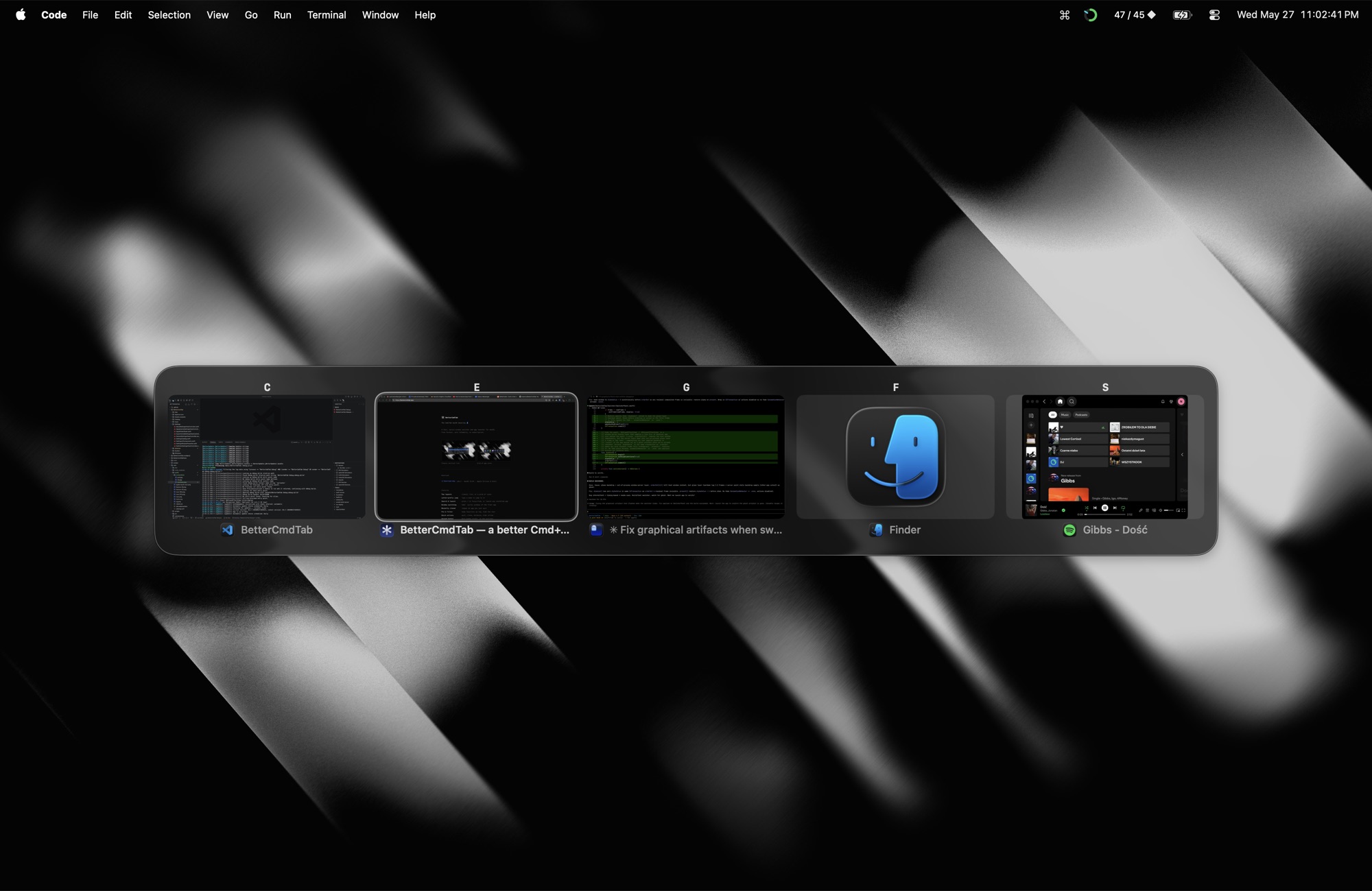
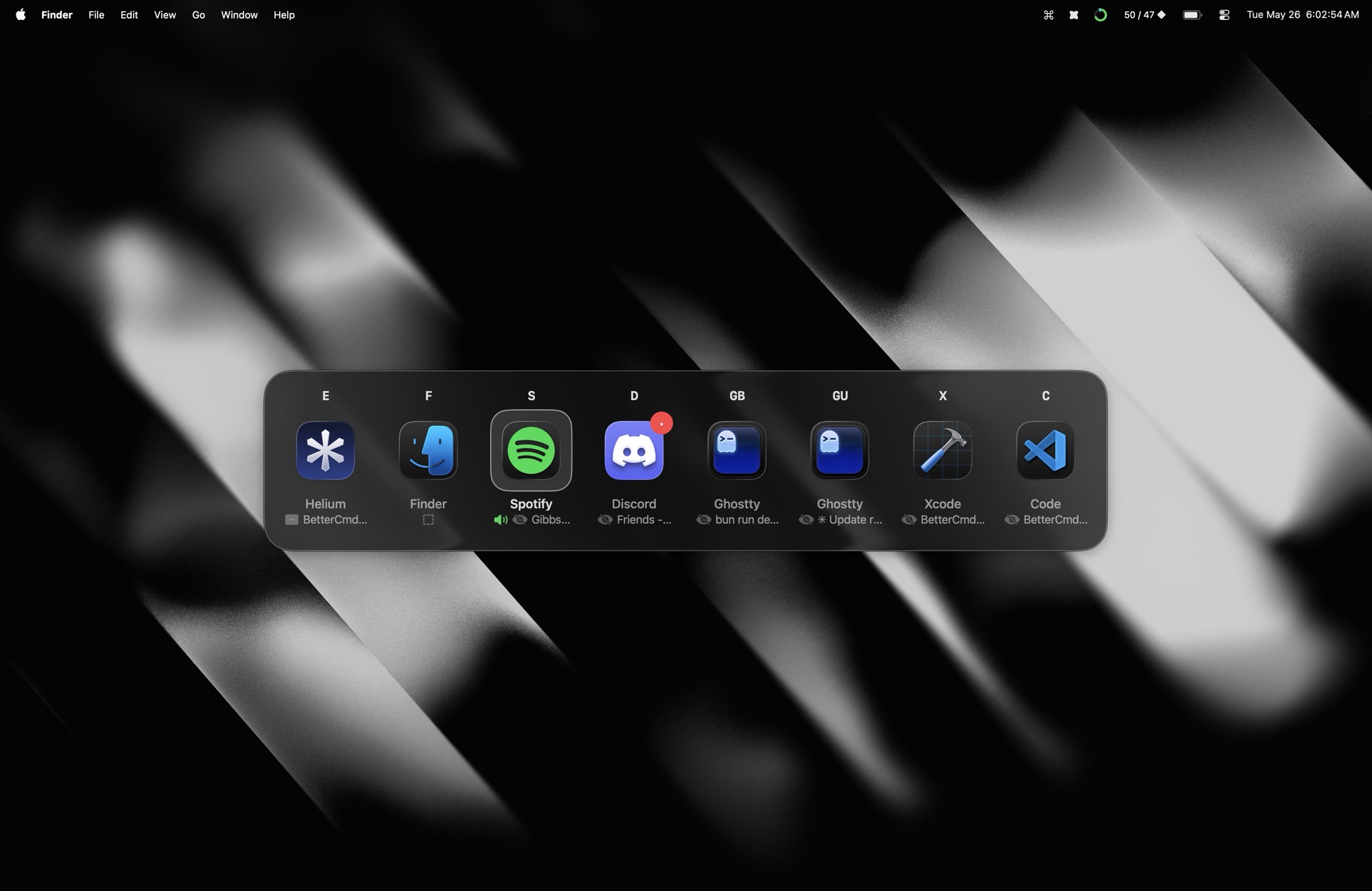
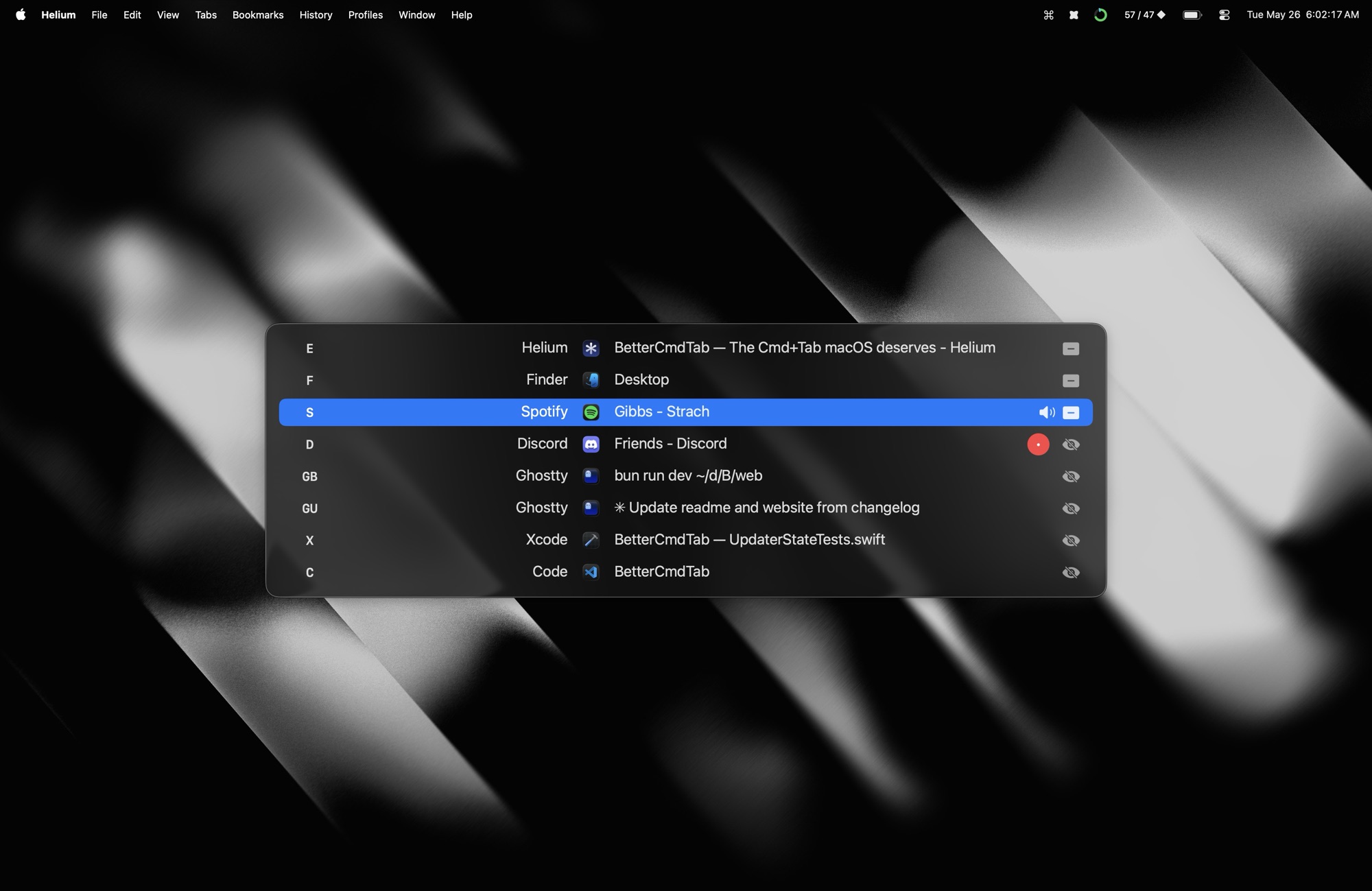
- Three layoutsclassic list, grid of icons, or live window previews
- Window titlesshow each window's title under its icon in Grid and Previews
- Liquid Glasssystem material on macOS 26
- Themingpanel opacity, corner radius, background material, and a custom accent color
- Multi-monitoropens on the screen under the cursor
Tabs
- Tab drill-inpress \ to pick a tab from Safari, Chrome, Arc, Finder, Terminal, …
- Tabs as rowsoptionally surface each native or browser tab as its own row, not just behind the \ peek
Window actions
- Quick actionsquit, close, minimize, maximize, hide inline
- Hover actionsquick-action buttons appear on hover: close, minimize, zoom, hide, quit, force-quit
- Force quitCmd+Option+Q SIGKILLs hung apps when graceful Quit hangs
- Window managementtile to halves or corners, maximize, or center with Ctrl+Cmd arrows; cycle ½ → ⅔ → ⅓ widths
- Move windowssend the highlighted window to the next display
- Recently closedreopen an app you just quit
Filter & organize
- Sort orderorder apps by recents, alphabetically, or launch order
- Minimized & hiddeninclude minimized windows, hidden and windowless apps
- Pin & filterkeep favorites up top, hide the rest
- Per-app ruleshide an app, or have it ignore Cmd+Tab always or only when fullscreen
Spaces & indicators
- Instant Spacesswitch Spaces with no animation
- Current Space onlyshow just the windows on the Space you're on
- Unread badgesDock badge counts, in the switcher
- Audio indicatorflags apps playing sound
System & input
- Secure-input survivorCmd+Tab keeps working even while a password field holds Secure Event Input
- Trackpad & hapticsthree-finger swipe to open the switcher or switch Spaces, with optional haptic and click feedback
- Hide from screen sharingkeep the switcher out of screen recordings and shared screens. Needs macOS 14.6+
- Export & importback up and move your whole setup as a versioned .cmdtab file
- Configurablecustom hotkey, size, scale, layout, grid columns, and reveal delay
FAQ
Yes. BetterCmdTab is free forever and open-source under GPL v3, with zero telemetry and no subscription.
macOS 13.0 or later, on both Apple Silicon and Intel. The Liquid Glass material lights up on macOS 26.
It is a native AppKit menu-bar app — no Electron, no Dock icon. You get list, grid, and live-preview layouts, fuzzy search and launch, window cycling, tab drill-in, and window tiling the stock switcher cannot do.
Yes. A Carbon survivor trigger keeps the switcher working even while a password field holds Secure Event Input.
No. There is no telemetry, analytics, or background network. The only network call is an opt-in check for updates on GitHub Releases.